 Steam
Steam PlatformSteam
RegionGlobal
Release date4 Dec 2025
Planet Coaster 2: Toybox Pack - Unleash Your Imagination!
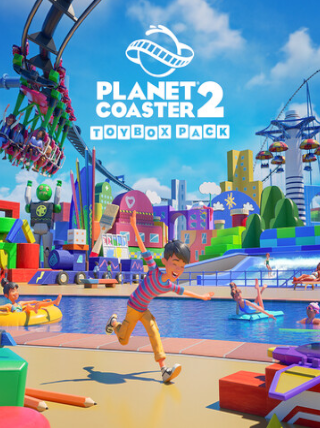
Expand your Planet Coaster 2 experience with the Toybox Pack, offering a delightful assortment of new rides, scenery items, and blueprints designed to bring a playful and whimsical atmosphere to your park. This pack is a must-have for players looking to inject a dose of fun and nostalgia into their coaster creations.
Key Features:
- New Rides: Introduce exciting new rides to your park, featuring unique designs and animations that capture the essence of classic toys and games.
- Extensive Scenery: Decorate your park with hundreds of new scenery pieces, including oversized building blocks, playful character statues, and vibrant decorative elements. Create themed zones that transport your guests to a world of childlike wonder.
- Blueprints: Jumpstart your creativity with pre-built blueprints, allowing you to quickly add complete coasters, buildings, and themed areas to your park. Customize these blueprints to your liking and create truly unique attractions.
- Enhanced Customization: Use the Toybox Pack's assets to enhance your existing parks or create entirely new themed areas. The possibilities are endless with the level of detail and customization offered.
- Global Access: This Steam Key is redeemable globally, allowing you to enjoy the Toybox Pack regardless of your location.
System Requirements:
(Note: Requires Planet Coaster 2 base game to play)
- Platform: PC
- Activation: Steam
- Please refer to the Planet Coaster 2 base game's Steam page for minimum and recommended system requirements.
Why Choose the Toybox Pack?
The Toybox Pack provides a significant boost to your creative toolkit, enabling you to build even more imaginative and engaging parks. Whether you're a seasoned park builder or a newcomer to the Planet Coaster franchise, this pack offers something for everyone.
Redemption Instructions:
- Launch the Steam client software and log into your Steam account.
- Click the "Add a Game..." button, located in the bottom left corner of the Steam window.
- Choose "Activate a Product on Steam..."
- Follow the on-screen instructions to enter your purchased Steam Key and activate the Toybox Pack.
This content requires the base game Planet Coaster 2 on Steam in order to play.